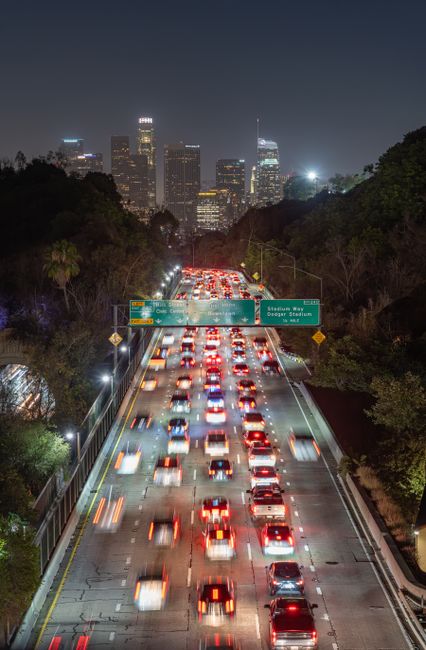
If you have ever checked a mountain pass before a winter drive, or looked at the freeway before leaving work, you have used a traffic camera. There are tens of thousands of them across North America, Europe, Asia and Australia, and they are among the most useful public cameras on LiveLocation. They are also among the most misunderstood. This page explains who runs them, how they work, why the picture is sometimes a still image, and what they are not used for.
Who runs traffic cameras
In the United States, most highway cameras belong to the state DOT, such as Caltrans in California or WSDOT in Washington. Cities and counties run their own cameras at major intersections, and toll authorities, bridge and tunnel operators and port authorities run more. In other countries, the national or regional road authority does the same job: National Highways in England, Spain’s DGT, Japan’s expressway companies and so on.
The cameras feed a traffic management center (TMC), a control room where operators watch screens around the clock. The Federal Highway Administration (FHWA) lists the main uses of these cameras: detecting and verifying incidents, monitoring traffic, checking how an incident is being cleared, confirming what the electronic message signs say, and watching environmental conditions such as visibility and wet pavement.
Sharing images with the public is a bonus. Many agencies publish them on their 511 traveler information websites and apps, and through open data feeds that sites like LiveLocation can display with credit.
How a DOT camera works
A typical highway camera is a weatherproof PTZ camera on a tall pole or a sign gantry, with a roadside cabinet holding power, a network switch and surge protection. Many agencies run their own fiber optic network along the highway; in remote places, cameras use cellular modems. Operators in the TMC can turn and zoom the camera to look at an incident, then return it to its normal view.
Why traffic cams are often still images
Many traffic cameras online show a picture that updates every minute or so rather than smooth video. There are good reasons:
- Bandwidth: streaming video from thousands of cameras to millions of drivers would need huge capacity. A still image every minute uses a tiny fraction.
- Old networks: some cameras sit on slow links or cellular modems.
- Operational control: agencies can blank or freeze public images during incidents.
- It is enough: to see whether a road is jammed or snowy, a fresh still image works almost as well as video.
On LiveLocation, each camera shows its status honestly: Live now for working video, Snapshot X min ago for still images with their age, and Offline when the source is not answering.
Traffic cameras are not speed or red-light cameras
This is the most common question, so it is worth being precise. Traffic monitoring cameras and enforcement cameras are different systems, usually run by different organizations for different purposes.
| Traffic monitoring camera (CCTV) | Speed / red-light camera | |
|---|---|---|
| Run by | DOT or road agency TMC | Usually a city or police agency, often with a contractor |
| Purpose | See conditions, spot and clear incidents | Issue tickets for violations |
| Where | High on poles and gantries, wide views of highways | At intersections or roadside, aimed at lanes |
| Output | Live video or periodic still images | Evidence photos or clips of a specific vehicle |
| Public feed | Often shared on 511 sites | Not shared publicly |
| Reads plates | Not designed to; usually too wide and low detail | Yes, to identify the vehicle |
| Legal basis | Traffic operations | State or local enforcement law |
Speed and red-light cameras are legal in some US states and banned or restricted in others, and the FHWA counts speed safety cameras among its proven safety countermeasures. That is a separate topic from the monitoring cameras you see on traffic websites. LiveLocation shows only public monitoring views, never enforcement systems, and our policy forbids license-plate reading or tracking of vehicles.
Are traffic cameras recording?
It depends on the agency, so we cannot give one answer for everyone. Caltrans, for example, states on its developer data portal that “traffic camera video footage and still images are neither retained nor archived.” An FHWA study of transportation management center video practices found a mix: some centers never record, often citing legal or policy reasons, while others record in limited situations, such as incidents or training, under their own retention rules. If you need footage after a crash, contact the agency directly; often there is none to give.
Where cameras are placed, and why
Road agencies do not put cameras everywhere. They place them where seeing the road pays off most:
- Freeway interchanges and merges, where crashes and slowdowns start.
- Bridges and tunnels, where a single breakdown can block everything and where wind or ice matters.
- Mountain passes and exposed stretches, for snow, fog and chain controls.
- Next to electronic message signs, so operators can confirm the sign shows the right message.
- Work zones, sometimes with temporary trailer cameras on cellular.
That is why camera density is high around big cities and on busy corridors, and thin on quiet rural roads. FHWA guidance notes that cameras are best suited to urban environments, while other detection methods may make more sense on rural roads.
Traffic cameras vs other public cameras
| DOT traffic camera | Scenic or tourism webcam | Weather / ski webcam | |
|---|---|---|---|
| Owner | Road agency | Hotel, town, tourism board | Ski area, weather service, enthusiast |
| Typical format | Still image every 1 to 5 min, some live | Live video, often on YouTube | Still images or time-lapse, some live |
| Picture quality | Functional, often low resolution | High, framed for beauty | Varies, usually wide |
| Can move | Yes, by operators | Sometimes, on preset tours | Usually fixed |
| Best for | Road conditions, commute, passes | “What does it look like now” | Snow, clouds, sky |
All three live side by side on our map. When you plan a trip to the mountains, a traffic camera on the pass and a webcam at the resort together tell you far more than either one alone.
Where to find traffic cameras
- 511 sites and apps: most US states and many Canadian provinces have a 511 traveler information service with a camera map.
- State DOT websites: often have camera lists by highway, mountain pass and city.
- LiveLocation: search a road, pass or city on our map or check cameras near you. Traffic cameras appear alongside beach, city and weather cams, with clear “Snapshot” or “Live” labels and the agency’s credit.
Reading a traffic camera like a pro
- Check the time stamp. Most images have one burned in. An image that has not changed for an hour may be frozen.
- Look at the direction. Camera names often include the direction it faces (“I-5 at Main St, looking north”).
- Watch the pavement, not just the cars. Wet shine, snow in the wheel tracks and spray behind trucks tell you a lot about conditions.
- Remember operators move them. If a camera is pointing at the sky or zoomed in, it may be in use for an incident.
- Do not look while driving. Check before you go, or have a passenger look.
Why a traffic camera goes dark
Traffic cameras go offline more often than people expect, and almost always for ordinary reasons: a power or network fault in the roadside cabinet, a camera damaged by a crash or a storm, maintenance, a construction project that moves the pole, or an operator who has blanked the public feed while the camera is used for an incident. If a camera you rely on stays dark for days, the agency’s 511 site often lists it as out of service. On LiveLocation, our automatic checks mark it offline and show the time it was last seen working, so you are never fooled by an old picture.
Privacy and traffic cameras
Traffic monitoring cameras are generally mounted high with wide views, and their public images are low-resolution, so individual drivers are not identifiable in normal use. Agencies typically avoid pointing them at homes and may mask nearby private property. On LiveLocation we only list views that agencies publish on purpose, and we do not record, archive or analyze them. Our wider rules are on is it legal to livestream a public place? and privacy by design.
Traffic cameras and weather
Some of the most valuable road cameras are not about traffic at all. Road weather information stations on mountain passes combine cameras with sensors for air and pavement temperature, wind and visibility. In winter they help crews decide when to plow and salt, and help drivers decide whether to go. On LiveLocation, these appear on pass and mountain pages next to weather cams and satellite views (see satellite imagery explained).
Do these next
- See traffic cameras near you and check their time stamps.
- Search a mountain pass before your next winter drive.
- Learn about the other camera types on the map.
Questions people ask
Are traffic cameras the same as speed cameras?
No. Traffic monitoring cameras are run by road agencies to see conditions and manage incidents. Speed and red-light cameras are separate enforcement systems that photograph specific vehicles to issue tickets.
Do traffic cameras record?
It depends on the agency. Caltrans states its traffic camera footage and images are neither retained nor archived. Other agencies may record in limited cases under their own policies.
Why do traffic cameras show still pictures instead of video?
Still images refreshed every minute or so use far less bandwidth, work on slow links and are enough to judge traffic and weather. Some agencies offer live video for selected cameras.
Can traffic cameras read license plates?
Monitoring cameras are not designed for it; their public images are wide and low-detail. License plate readers are separate systems. LiveLocation never reads plates or tracks vehicles.
How can I get footage of a crash from a traffic camera?
Contact the road agency directly. Many do not record public camera feeds, so there may be no footage to provide.
Sources
- Caltrans CWWP2: Cameras (CCTV) documentation (checked 2026-10-07)
- FHWA: Best practices in traffic incident management, task-specific challenges (checked 2026-10-07)
- FHWA: Transportation management center video recording and archiving (checked 2026-10-07)
- FHWA: Freeway management and operations handbook, chapter 15 (checked 2026-10-07)
- FHWA: Speed safety cameras, frequently asked questions (checked 2026-10-07)
- WSDOT: Traffic cameras (checked 2026-10-07)
Last reviewed October 7, 2026 by the LiveLocation team. General information, not legal or electrical advice.