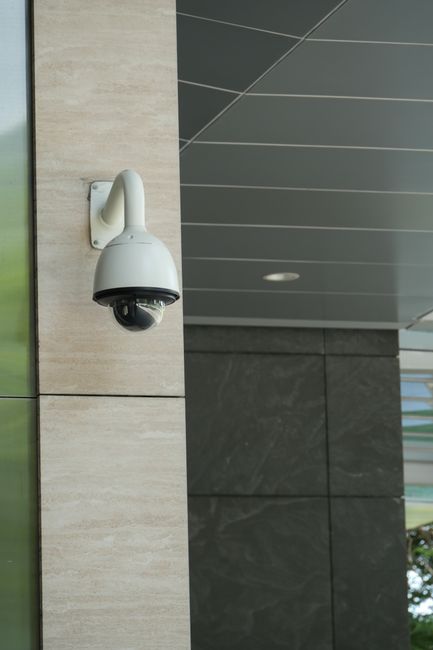
When you open a beach cam in Florida, a ski-lift cam in the Alps or a highway camera in California, you are looking at very different machines. Some sit on a building with a single network cable doing everything. Some live on a pole in a field with a solar panel and a SIM card. Some turn and zoom on command. A few views on LiveLocation are not cameras on the ground at all, but weather satellites 35,786 km above the equator.
This guide sorts them all into a simple family tree, shows where each type fits, and links to a full page on each one. If you are a viewer, it explains what is behind the picture. If you are planning your own camera for a hotel, farm, marina or town square, it is the place to start before you buy anything.
The three questions that decide the type
Camera makers sell hundreds of models, but almost every live camera can be described by three answers:
- Power: does it run from a network cable (Power over Ethernet), a wall plug, a rechargeable battery, or a solar panel and battery?
- Connection: does the video leave through an Ethernet cable, Wi-Fi, or the cellular network (4G LTE or 5G)?
- Movement: is the view fixed, or can it pan, tilt and zoom (PTZ)?
Everything else, from resolution to night vision, is a feature you choose within that type. A “4G solar PTZ camera” is simply one answer to each question: solar power, cellular connection, moving view.
The main types at a glance
| Type | Power | Connection | Best for | Main limit |
|---|---|---|---|---|
| IP camera | PoE or plug | Ethernet or Wi-Fi | Almost every public webcam | Needs a secure setup |
| PoE camera | Network cable | Same cable | Hotels, towns, marinas, 24/7 streams | Cable run up to 100 m |
| Wi-Fi camera | Plug or battery | Wi-Fi | Homes, cafés, short reach | Signal drops, walls, interference |
| 4G/LTE camera | Battery, solar or plug | Cellular SIM | Sites with no internet line | Data plan cost, coverage |
| Solar camera | Panel + battery | Wi-Fi or 4G | No power outlet nearby | Winter sun, mostly motion-triggered |
| 4G + solar off-grid | Panel + battery | Cellular SIM | Farms, cabins, construction, trails | Power budget for 24/7 video |
| PTZ camera | PoE+ or plug | Ethernet | Scenic tours, ski areas, harbors | Price, moving parts, power |
| Traffic camera (DOT) | Roadside power | Agency fiber or cellular | Road and weather conditions | Often snapshots, low resolution |
| Satellite imagery | In orbit | Ground stations | Clouds, storms, smoke, Earth from space | Minutes to hours old, not video |
IP cameras: the family almost everything belongs to
An IP (Internet Protocol) camera is a camera with a small computer inside. It captures light on a sensor, compresses the picture with a video codec such as H.264 or H.265, and sends it over a network like any other connected device. It usually offers its video as an RTSP stream for recorders and software, and many models can also push a stream straight to a platform like YouTube.
The older alternative is the analog CCTV camera, which sends a video signal down a coaxial cable to a recorder. Analog systems still exist in shops and parking lots, but nearly every camera built to share a view with the world today is IP. That is why the rest of this guide mostly talks about IP cameras with different ways of getting power and internet. Read the full page: IP cameras explained.
PoE cameras: one cable for power and data
Power over Ethernet sends electricity and data down the same network cable. A PoE switch or injector at one end, a camera at the other, and nothing else to wire. It is the most reliable setup for a 24/7 public webcam because there is no Wi-Fi to drop and no battery to run flat. The trade-off is that the cable run is limited to 100 meters (328 ft) under the Ethernet standard, and the camera must be within reach of a building with power and internet. The PoE page has the power table for 802.3af, 802.3at and 802.3bt.
Wi-Fi cameras: easy to place, harder to keep steady
Wi-Fi cameras skip the network cable, which makes them quick to install. Many still need a power cable, though, and many outdoor models only use the 2.4 GHz band, which reaches farther but is crowded. For a home or a café window they are fine. For a stream that thousands of people may watch around the clock, a wired camera usually wins. See Wi-Fi vs wired cameras.
4G/LTE cameras: internet where there is no line
A cellular camera carries a SIM card and connects through a mobile network, just like a phone. That opens up places with no cable internet: a vineyard, a boat ramp, a construction site, a mountain trailhead. The catch is data. Live video uses a lot of it, so most battery 4G cameras record short clips when they see motion and let you look live only when you open the app. A true 24/7 stream over 4G is possible, but it needs steady power and an unlimited or very large data plan. The 4G/LTE page shows monthly data use for each scenario.
Solar cameras and off-grid kits
Solar cameras pair a small panel with a battery. The common consumer type is a battery camera that sleeps most of the time and wakes up on motion, so a panel of a few watts keeps it going. A camera that streams nonstop is a different machine: it may draw 4 to 10 watts all day and night, which needs a much bigger panel and battery, especially in winter. The solar cameras page explains the basics, and solar sizing step by step does the math. When you combine solar and 4G, you get a fully off-grid camera for farms, cabins and remote sites.
PTZ cameras: views that move
Pan-tilt-zoom cameras turn left and right, tilt up and down and zoom optically. Ski resorts and harbor towns love them because one camera can run a tour of preset views: the village, the lift, the summit. They cost more, use more power and have motors that wear, and their zoom raises privacy questions in busy places. The PTZ page explains when they are worth it.
Traffic cameras: run by road agencies
The thousands of road cameras you see on LiveLocation belong to state departments of transportation (DOTs) and similar agencies around the world. Operators in traffic management centers use them to spot crashes, check weather and verify message signs. Many publish still images that refresh every minute or two; some offer live video. They are not speed or red-light cameras, which are a separate enforcement system. Read how DOT traffic cameras work.
Satellite views: Earth “now,” but not video
Weather satellites in geostationary orbit photograph the whole disk of the Earth every 10 minutes, and parts of it as often as every 30 to 60 seconds. Polar-orbiting satellites pass much closer and see more detail, but only about twice a day for any one spot. Both are wonderful to watch, and both are images with a time stamp, not live video. Our page on satellite imagery explains how fresh each one really is.
Features that cross every type
Once you know the type, you choose features. These matter for every camera:
- Resolution: 1080p (2 MP) is still fine for a wide scenic view on YouTube; 4K (8 MP) shows more detail but needs about four times the pixels to move and store.
- Night vision: infrared LEDs give black-and-white night images; larger sensors and spotlights can give color at night.
- Weather rating: IP66 and IP67 are common outdoor ratings for dust and water. See weatherproofing and IP ratings.
- Streaming options: RTSP for local software, RTMP to push to YouTube, or a maker’s cloud app. See how live streaming works.
- Security: unique strong password, current firmware and no open ports to the internet. See camera security.
Which type is right for you?
A quick way to decide:
- Building with power and internet within 100 m: a fixed PoE camera. Add a PTZ only if you really need several views.
- Indoors or a short reach, low stakes: a Wi-Fi camera with good signal.
- Power but no internet line: a 4G camera or a camera plus a 4G router.
- No power and no internet: an off-grid 4G + solar setup, sized for the darkest month.
For a full decision path and real costs, see how to choose a live camera and the camera cost guide.
Every page in this section
PoE cameras802.3af, at and bt power, the 100 m rule and switches.
Wi-Fi vs wiredRange, reliability, bands and when each one wins.
4G/LTE camerasData use per month, coverage and plan types.
Solar camerasPanel and battery basics for battery and 24/7 cameras.
Off-grid 4G + solarCameras for farms, cabins and construction sites.
PTZ camerasPan, tilt and zoom: tours, presets and when they pay off.
Traffic camerasHow DOT cameras work, and what they are not.
Satellite imageryGeostationary vs polar, and how “live” it really is.
Do these next
- Open the map and look at a few cameras of each type.
- Choose your camera with the decision path.
- Submit your camera to LiveLocation once it streams.
Questions people ask
What is the most common type of live camera?
The IP camera. Almost every public webcam is an IP camera that sends compressed video over a network, powered either by a network cable (PoE), a plug, a battery or a solar panel.
What is the best type of camera for a 24/7 live stream?
A wired PoE camera on a building with good internet. It has no Wi-Fi to drop and no battery to run flat, and one cable carries both power and data up to 100 meters.
Can a camera work with no power and no internet nearby?
Yes. An off-grid camera uses a solar panel and battery for power and a 4G SIM for internet. For nonstop streaming, the panel, battery and data plan must be sized for the darkest month.
Are satellite views live video?
No. Weather satellites send images every few minutes, and higher-detail satellites pass about twice a day. They are recent pictures with a time stamp, not live video.
Are traffic cameras the same as speed cameras?
No. Road-agency traffic cameras are used to watch conditions and spot incidents. Speed and red-light cameras are separate enforcement systems.
Sources
- IEEE 802.3bt-2018: Power over Ethernet over 4 pairs (checked 2026-10-07)
- RFC 7826: Real-Time Streaming Protocol Version 2.0 (IETF) (checked 2026-10-07)
- NOAA NESDIS: Advanced Baseline Imager (ABI) (checked 2026-10-07)
- NOAA NESDIS: Joint Polar Satellite System (checked 2026-10-07)
- Caltrans CWWP2: Cameras (CCTV) documentation (checked 2026-10-07)
- ONVIF: Profiles (checked 2026-10-07)
Last reviewed October 7, 2026 by the LiveLocation team. General information, not legal or electrical advice.