
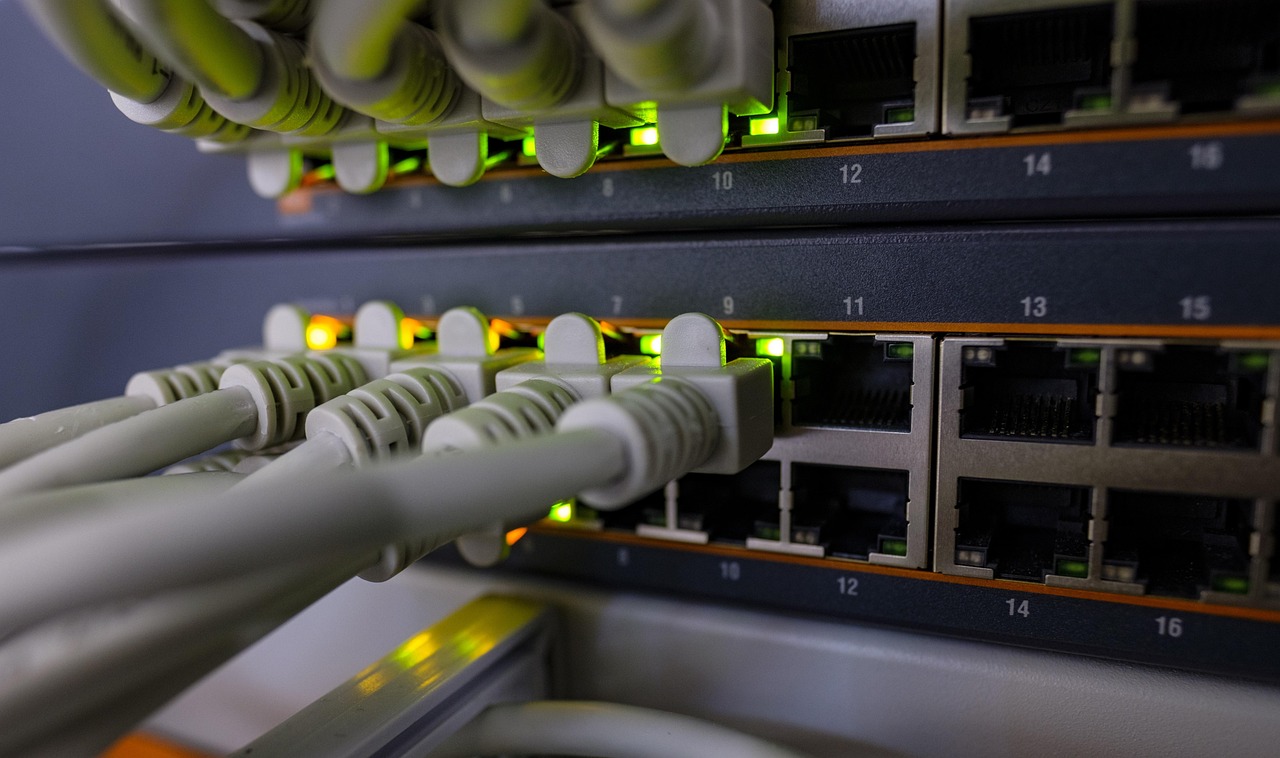
Power over Ethernet is the quiet hero of public webcams. Instead of running a power cable and a network cable to the top of a mast or the corner of a roof, you run one ordinary Cat5e or Cat6 cable. A switch indoors pushes low-voltage DC power down the same wires that carry data. No outdoor power outlet, no electrician for every camera, and no Wi-Fi to drop out in a storm.
That is why most of the steady, all-day webcams on our map (hotel rooftops, harbor offices, ski-lift stations) are wired PoE cameras. When a stream has run for years without a gap, there is usually a single network cable behind it.
This page explains how PoE works, which standard you need, how far you can go, and the mistakes that cause cameras to reboot at night.
How Power over Ethernet works
An Ethernet cable has four twisted pairs of copper wires. PoE adds a DC voltage, roughly 44 to 57 volts at the source, across those pairs. Two names matter:
- PSE (power sourcing equipment): the PoE switch or injector that supplies power.
- PD (powered device): the camera that receives it.
A standard PoE switch never just blasts power down the line. It first checks for a special signature resistance that only a PoE device presents, then reads the device’s power class, and only then switches power on. That is why plugging a laptop into a standard PoE port is safe. The handshake is what separates real IEEE PoE from cheap “passive PoE” injectors, which send a fixed voltage all the time and can damage equipment that was not designed for it.
The PoE standards: af, at and bt
The IEEE has published three generations of PoE in its 802.3 Ethernet standard. Each is backward compatible: a newer switch can power an older camera. What matters most is the power that actually reaches the camera, which is lower than what the switch sends because some is lost in the cable.
| Standard (common name) | Year | Type / classes | Power at switch port | Power at camera | Pairs used | Typical cameras |
|---|---|---|---|---|---|---|
| 802.3af (PoE) | 2003 | Type 1, classes 0 to 3 | 15.4 W | 12.95 W | 2 | Fixed bullet, dome and turret cameras |
| 802.3at (PoE+) | 2009 | Type 2, class 4 | 30 W | 25.5 W | 2 | Small PTZ, cameras with heaters or big IR |
| 802.3bt (PoE++, 4PPoE) | 2018 | Type 3, classes 5 and 6 | 60 W | 51 W | 4 | Outdoor PTZ with heaters and wipers |
| 802.3bt (PoE++, 4PPoE) | 2018 | Type 4, classes 7 and 8 | 90 W | 71.3 W | 4 | Large PTZ, long-range IR, cold climates |
A real example: Reolink lists its RLC-810A 4K bullet camera as 802.3af with a draw under 12 W, Ubiquiti lists its UniFi G5 Bullet at a maximum of 4 W, while Axis lists its Q6225-LE outdoor PTZ as PoE Class 8, the top of 802.3bt. All three “use PoE,” but the power they need differs by more than ten times, so always read the class before you buy the switch.
The 100-meter rule
Ethernet over copper is specified for a channel of up to 100 meters (328 ft), usually described as 90 m of fixed cable plus up to 10 m of patch cords. PoE follows the same limit. Go longer and two things happen: data errors rise and voltage drops, so the camera may work in summer and reboot on a cold night when its heater and infrared LEDs switch on together.
If your camera is farther than 100 m from the building:
- PoE extender: a small powered-through box placed mid-run that restarts the 100 m count. Check how much power it passes along.
- Fiber plus a local switch: fiber carries data for kilometers and is immune to lightning on the run, but you need power at the far end.
- Point-to-point wireless bridge: two dish radios link buildings with clear line of sight. See internet for remote cameras.
How to work out your PoE budget
Every PoE switch has two limits: power per port and a total “PoE budget” for all ports together. For example, TP-Link lists its TL-SG1005P with four PoE ports at up to 15.4 W each and a 65 W total. Four 802.3af cameras at 12 W each (48 W) fit; four PoE+ cameras at 25 W would not.
A simple method:
- Find each camera’s maximum power in its spec sheet (not the typical figure), including IR, heater and PTZ motors.
- Add them up and add 20 to 30 percent headroom.
- Choose a switch whose total budget covers that, with ports of the right type (af, at or bt).
- Put the switch on a small UPS (battery backup) so a power flicker does not take every camera down at once.
A worked example: a beach bar webcam
Say a beach bar wants one fixed 4K camera on the roof for a YouTube stream, plus a small PTZ on a pole by the deck. The router is behind the bar. The roof camera is 25 m of cable away; the pole is 70 m.
- The fixed camera lists 12 W maximum: an 802.3af port is enough.
- The small PTZ lists 22 W maximum with its IR on: it needs an 802.3at (PoE+) port.
- Total: 34 W, plus 30 percent headroom, is about 45 W. A switch with at least one PoE+ port and a 60 W or larger budget covers it.
- Both runs are under 100 m, so no extender is needed. The 70 m pole run goes in outdoor-rated cable inside conduit, with a surge protector where it enters the building.
- The switch sits on a small UPS next to the router, so a short power cut does not end the stream.
Once it is running, the bar can push the roof camera to YouTube and submit it to LiveLocation. The camera stays behind the router with no open ports.
Cable, connectors and outdoor details
- Use solid copper cable. Cheap “copper-clad aluminum” (CCA) cable has more resistance, heats up and drops more voltage. Many PoE problems trace back to it.
- Use outdoor-rated cable (UV-resistant jacket) outside, and direct-burial cable or conduit underground.
- Protect the connector at the camera with the supplied weatherproof cap, and leave a drip loop so water runs off before reaching it. See weatherproofing and IP ratings.
- Surge protection on long outdoor runs, especially on masts and poles, and good grounding.
PoE switch, injector or NVR?
There are three common ways to supply PoE, and the right one depends on how many cameras you have:
- PoE injector: a small box with a power plug, a “data in” port and a “PoE out” port. Ideal for one camera added to an existing router. Make sure it says IEEE 802.3af, at or bt, not just “PoE,” so you know it does the safety handshake.
- PoE switch: the tidy choice for two or more cameras. Unmanaged switches just work; managed switches let you turn a port off and on remotely (a lifesaver when a camera freezes on a mountain) and put cameras on their own VLAN.
- NVR with PoE ports: many network video recorders have a built-in PoE switch, so cameras plug straight into the recorder. Simple for security systems; less flexible if you want a camera to stream to YouTube on its own.
A remote reboot is worth planning for any public webcam. Cameras are small computers, and once in a while they lock up. With a managed PoE switch, you or your installer can cut and restore power to that one port from anywhere, instead of climbing a ladder.
Common PoE problems and fixes
| Symptom | Likely cause | Fix |
|---|---|---|
| Camera reboots at dusk | IR LEDs or heater push power over the port limit | Use a PoE+ port, check the switch budget |
| Camera never powers on | Switch port is not PoE, or passive vs IEEE mismatch | Use an IEEE PoE port or injector of the right type |
| Video freezes, link drops to 100 Mbps | Long run, damaged pair, CCA cable | Re-terminate, shorten the run, use solid copper |
| Works for months, then dies after a storm | Surge on the outdoor cable | Add surge protection and ground it properly |
| All cameras drop at once | Total PoE budget exceeded or power cut | Bigger budget switch, add a UPS |
PoE vs other ways to power a camera
| Option | Cables to camera | Reliability for 24/7 | Distance | Good when |
|---|---|---|---|---|
| PoE | 1 | Highest | 100 m per run | A building with power and internet is nearby |
| 12 V adapter + Wi-Fi | 1 (power) | Medium | Limited by Wi-Fi | Outlet nearby, no cable path for Ethernet |
| 12 V adapter + Ethernet | 2 | High | 100 m data | Switch without PoE, outlet at camera |
| Solar + battery | 0 | Depends on sizing | Anywhere | No power at all on site |
Our powering a camera page compares these in more depth, and solar cameras covers the off-grid side.
Products to look at
Specs below are as stated by each maker on the date shown at the end of this page. Prices change, so we do not list them.
TP-Link TL-SG1005P 5-Port Gigabit Desktop Switch with 4-Port PoE
- 4 PoE ports, 802.3af/at compliant
- Up to 15.4 W per port, 65 W total
- Gigabit, fanless, no setup
Reolink RLC-810A
- 4K 8MP at 25 fps
- PoE IEEE 802.3af, under 12 W
- IP67, RTSP listed
UniFi G5 Bullet
- 4MP 2688×1512
- PoE, 4 W maximum
- IP55, 9 m IR
Do these next
- Plan the camera spot and measure the cable run.
- Add up your cameras’ maximum watts and pick a switch with 30% headroom.
- Stream it to YouTube and submit it.
Questions people ask
How far can a PoE camera be from the switch?
Up to 100 meters (328 ft) of cable, the Ethernet limit. For longer distances use a PoE extender, fiber with a powered switch near the camera, or a point-to-point wireless link.
Do I need PoE, PoE+ or PoE++ for my camera?
Check the maximum power in the camera’s spec sheet. Most fixed cameras use 802.3af (up to 12.95 W at the camera). Cameras with heaters or small PTZ motors often need 802.3at (25.5 W); large outdoor PTZ cameras may need 802.3bt.
Can a PoE switch damage a non-PoE device?
A standards-based IEEE PoE switch checks for a PoE signature before sending power, so it will not power a laptop or a non-PoE device. Passive PoE injectors do not check and can cause damage.
Does a PoE camera need internet?
It needs a network, which the PoE switch provides. Internet is only needed to watch from elsewhere or to stream to a site like YouTube.
Why does my PoE camera reboot at night?
Often because night mode turns on infrared LEDs or a heater and the camera draws more power than the port, switch budget, cable length or cable quality can supply. Check maximum power and avoid copper-clad aluminum cable.
Sources
- IEEE 802.3bt-2018: Power over Ethernet over 4 pairs (checked 2026-10-07)
- TP-Link TL-SG1005P specifications (checked 2026-10-07)
- Reolink RLC-810A specifications (checked 2026-10-07)
- Ubiquiti UniFi G5 Bullet technical specifications (checked 2026-10-07)
- Axis Q6225-LE PTZ Camera (checked 2026-10-07)
Last reviewed October 7, 2026 by the LiveLocation team. General information, not legal or electrical advice.