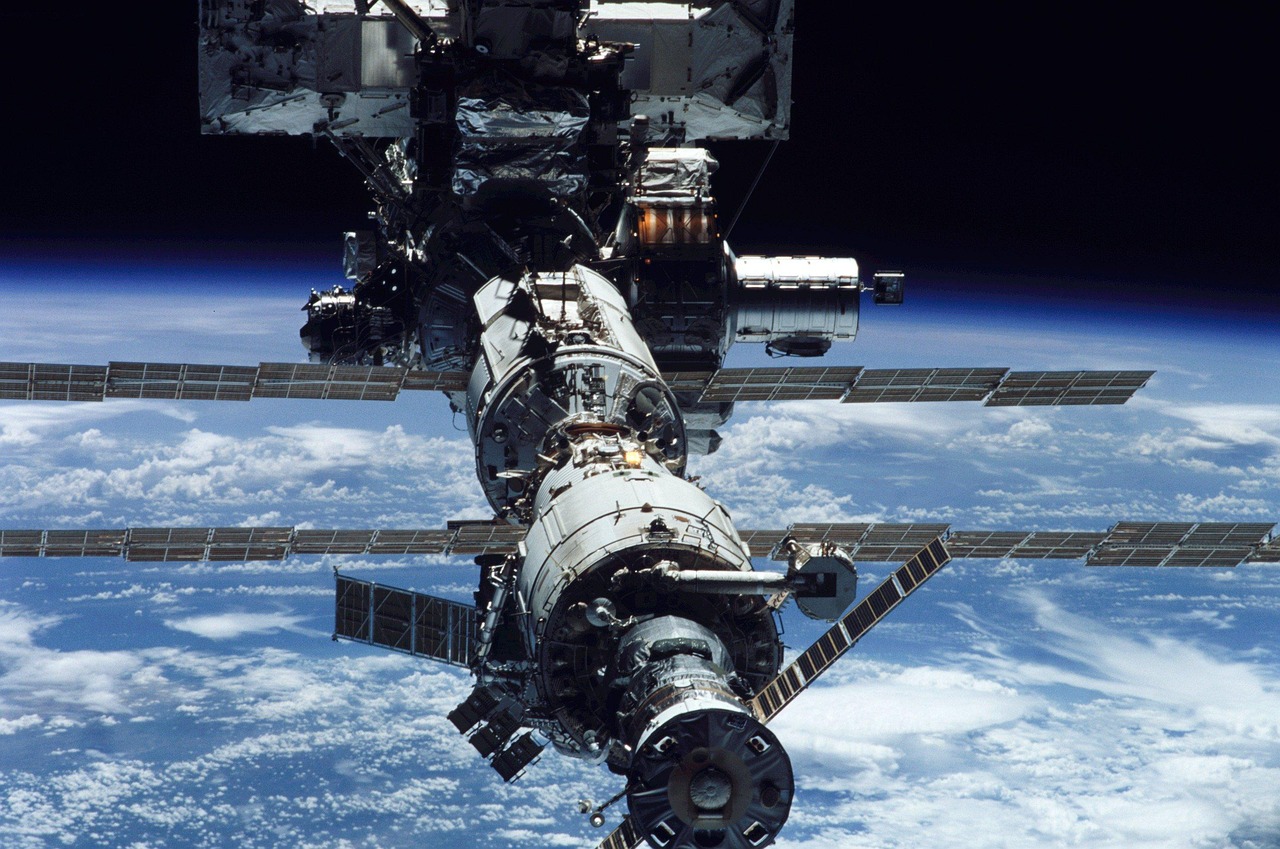
The space station circles the Earth about every 90 minutes, about 250 miles (400 km) up, at around 17,500 mph. A camera on it can show sunrise over the Pacific, the Sahara and the lights of Europe in a single hour. It is one of the most watched live views on the planet, which is exactly why it attracts fakes. This guide shows where the real feeds are, why the real feed sometimes looks “broken”, and simple checks that tell a live stream from a recording, for the ISS and for any webcam.
Live ISS views on LiveLocation
We only list official NASA streams and long-established channels for the ISS. The cards below show their current status from our checks.

Where the official feeds are
- NASA Live (nasa.gov/live): NASA’s own page lists “Space Station Views”, live video from the International Space Station, alongside mission coverage.
- NASA on YouTube: the verified NASA channel runs “Live Video from the International Space Station (Official NASA Stream)”, including views inside the station when the crew is on duty and views of Earth from external cameras.
- NASA+: NASA’s free streaming service also carries live space station video and mission events.
Earlier, from 2014 to 2019, NASA ran the High Definition Earth Viewing (HDEV) experiment, a set of commercial HD cameras on the outside of the station that streamed Earth views. HDEV stopped sending data on 18 July 2019 and was declared at end of life in August 2019; its old streams still circulate, often relabeled as “live”.
The views come from several cameras: external cameras mounted on the station’s truss and modules, which show the Earth below and the station’s own structure, and internal cameras that show the crew at work. Which camera is used changes with the station’s activities, so the view can switch from a sweeping Earth panorama to a laboratory module without warning. That variety is itself a sign of a real feed.
Why the real feed sometimes looks broken
| What you see | What it means |
|---|---|
| A black screen, perhaps with faint dots of city lights or lightning | The station is over the night side of Earth. Normal; wait up to about half an hour. |
| A blue screen or a “loss of signal” message | The video link is switching between communication relay satellites, or the downlink is busy. Normal; it usually returns within minutes. |
| Inside views of the crew or modules | The stream is showing an internal camera, often during crew work or events. |
| A recorded program, a slate or a mission event | NASA is showing scheduled coverage instead of the Earth view. |
| A grey or frozen frame | The ground systems sending video to YouTube may be restarting. |
In other words, a real space station feed is imperfect. A feed that shows a perfect, cloud-dappled blue Earth 24 hours a day, never going dark, is almost certainly not live.
What you can see on a good pass
Once you know the feed is real, it is worth learning to read it. The station moves about 5 miles (8 km) every second, so the ground slides steadily across the picture.
- Coastlines and deserts are the easiest landmarks: the Red Sea, the Nile valley, the Bahamas’ turquoise shallows, the Andes against the Pacific.
- Weather from above: rows of thunderstorms, cyclones with clear eyes, cloud streets over the ocean, smoke plumes from big fires.
- Sunrise and sunset: a thin, glowing band of atmosphere on the horizon that changes from orange to blue in seconds.
- City lights and lightning on the night side, when the camera is sensitive enough, and occasionally green curtains of aurora at high latitudes.
- The station itself: solar panels, radiators, docked spacecraft or the robotic arm in the foreground, depending on which external camera is in use.
To know what you’re looking at, open a live ISS tracker map next to the stream. The ground track shows where the station is now and which way it is heading, so you can wait for a coastline you’d like to see.
Live, but a few seconds late
Even the real stream is not instant. Video travels from the station to a relay satellite, down to a ground station, through NASA’s systems to the streaming platform and then out to you, and each step adds delay. Expect anything from several seconds to around half a minute behind real time, depending on the platform and your connection. That is still live in every sense that matters; a recording is hours, days or years old.
Signs of a fake or looped “ISS live”
| Clue | Real NASA feed | Likely fake or loop |
|---|---|---|
| Channel | NASA’s verified channel, linked from nasa.gov | Unknown channel with “NASA” or “ISS” in the name |
| Night | Goes dark roughly every 90 minutes | Always daylight |
| Interruptions | Signal-loss screens, switches to inside cameras | Never interrupted |
| Position | Matches where trackers say the ISS is now | Ground below doesn’t match the station’s position |
| Clouds and weather | Match today’s weather satellite images | Same clouds come back in a cycle; storms that ended weeks ago |
| Overlays | NASA graphics or none | “Giveaway”, QR codes, crypto addresses, “send to double” |
| Stream age | Restarts and new broadcasts are common | A “live” counter running for years with millions of views of the same video |
Five checks for any “live” camera
- Check the source. Is the channel the official owner (NASA, a park, an observatory, a town, a resort)? Follow the link from their own website if you can.
- Check day and night. Is it dark where the camera is right now? Our camera pages show local time and whether the sun is up. For the ISS, compare with a tracker such as NASA’s “Spot the Station”.
- Check the weather. Compare clouds, snow, rain or waves with the current forecast or a live satellite image (see Earth from space now).
- Look for a clock. Many real webcams show a time stamp. Make sure it moves and matches the local time, not just a video’s elapsed time.
- Watch for repeats. Watch long enough and a loop repeats: the same wave, the same boat, the same bird. Live views never repeat exactly.
LiveLocation does some of this for you: we check each camera’s status automatically, show “Live now”, “Snapshot 4 min ago” or “Offline since …”, and let viewers report cameras that aren’t really live. Read How we choose cameras.
Why some “ISS live” channels exist at all
Not every unofficial channel is a scam. Some fans re-broadcast NASA’s feed with an added map showing the station’s position, which can be helpful; others run relaxing “Earth from space” loops and label them honestly as recordings. The problems are channels that claim a loop is live, that use NASA’s name or logo to look official, or that push money requests. NASA content is generally not copyrighted, but NASA asks that its insignia not be used in ways that suggest endorsement.
If in doubt, start from nasa.gov and follow its links; that one habit avoids nearly every fake.
Seeing the ISS with your own eyes
The station is easy to see without a telescope: a bright, steady light crossing the sky in a few minutes, usually shortly after sunset or before sunrise when the station is in sunlight but you are in darkness. NASA’s Spot the Station service gives times for your location. Watching the live feed from the station and then seeing it pass overhead is a lovely way to get kids excited about space.
The ISS and the future of live views from orbit
NASA and its partners plan to operate the International Space Station until around 2030 and then retire it, with commercial space stations expected to follow. Live views from orbit should continue from those stations and from commercial camera projects, and some satellite companies already sell near-live video. Whatever the source, the same checks apply: official channel, day and night, weather, clock and no loops.
Do these next
- Open NASA Live for the official space station views.
- See Earth from space now with weather satellites.
- Explore the map for live views on the ground.
Sources
- NASA Live (checked 2026-10-07)
- NASA on YouTube: Live Video from the International Space Station (Official NASA Stream) (checked 2026-10-07)
- NASA: International Space Station overview (checked 2026-10-07)
- NASA Earth Science and Remote Sensing Unit: ISS High Definition Earth Viewing (HDEV) (checked 2026-10-07)
- NASA: Spot the Station (checked 2026-10-07)
- YouTube Help: Spam, deceptive practices and scams policies (checked 2026-10-07)
Last reviewed October 7, 2026 by the LiveLocation team. General information, not legal or electrical advice.