A public webcam is a different job from a security camera. A security camera wants faces and license plates. A public webcam wants the sea, the square, the snow or the sunset, with people as part of the scenery rather than the subject. It also has to run all day, every day, in front of thousands of strangers, and it must look good on a phone.
That changes how you choose. You care about color, a clean wide view, steady bitrate and a camera that survives years of weather. You care much less about motion alerts, cloud apps and two-way audio. This guide covers the three most common public webcams: the beach, the town and the hotel.
What every good public webcam has in common
- A view worth watching. One clear subject: the surf, the harbor, the mountain, the main square. A view that changes with the light and the season keeps people coming back.
- Wired power and data. A PoE camera on an outdoor-rated cable will outlast any battery or Wi-Fi setup. See PoE cameras.
- A steady upload. Plan 3 to 6 Mbps for a good 1080p stream, more for 4K. See the bitrate and data calculator.
- Weatherproofing. IP66 or IP67, stainless fixings, a sun shield and a drip loop on the cable. See IP ratings.
- Privacy built in. High mount, wide angle, audio off, and no windows, yards or private spaces in frame. See privacy by design.
Privacy by numbers: pixels per meter
The single best tool for a respectful public webcam is a number: pixels per meter at the distance where people are. The widely quoted levels from the international video surveillance guideline IEC 62676-4 (2014 edition) are about 25 pixels per meter to detect a person, 62.5 to observe what they are doing, 125 to recognize someone you know and 250 to identify a stranger.
A public webcam should usually keep people below the “recognize” level. You get that by mounting higher and further back, and by choosing a wider lens. The chart shows how fast detail falls with distance for a typical 90-degree lens.
In plain terms: if the nearest people in your view are more than about 20 m from a wide 1080p camera, nobody will be recognizable. That is a big reason why the best public webcams are on rooftops, towers and hillsides.
The beach webcam
Beach cams are among the most watched cameras on the web. Surfers check the waves, travelers check the weather and people far from the sea simply want to look at it. They are also the hardest on hardware.
- Salt and sand. Salt spray corrodes ordinary steel and aluminum within months. Choose a camera with a corrosion rating (NEMA 4X or a maker’s marine rating), stainless steel mounts (316 grade if you can) and sealed cable glands. Rinse the housing with fresh water a few times a year if you can reach it safely.
- Glare. Water reflects the sun. A camera facing the sun at sunset will flare badly. Face along the beach or away from the equator where possible, and use a sun shield.
- Bitrate. Waves are pure motion, and motion costs bitrate. A calm street looks fine at 3 Mbps; breaking surf often needs 5 to 8 Mbps in 1080p to avoid blocky water.
- Privacy. Beaches mean swimwear. Mount high, aim wide, and frame the surf line and horizon, not the towels. Never zoom in on people.
The town or city webcam
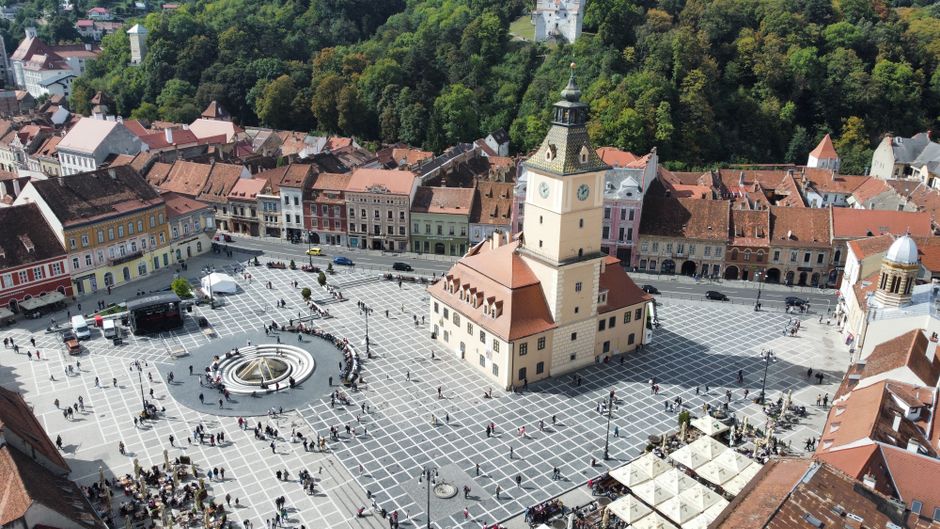
Town cams sell a place: the market square, the harbor, the cathedral, the skyline. Tourist offices, town halls and local businesses run them, and they are great for local pride and for visitors planning a trip.
- Height is everything. A camera on a church tower or a top-floor balcony shows rooftops and life without showing faces. At street level you are filming people, not the town.
- Windows. Keep private windows and balconies out of frame, or use the camera’s privacy masks to black them out permanently.
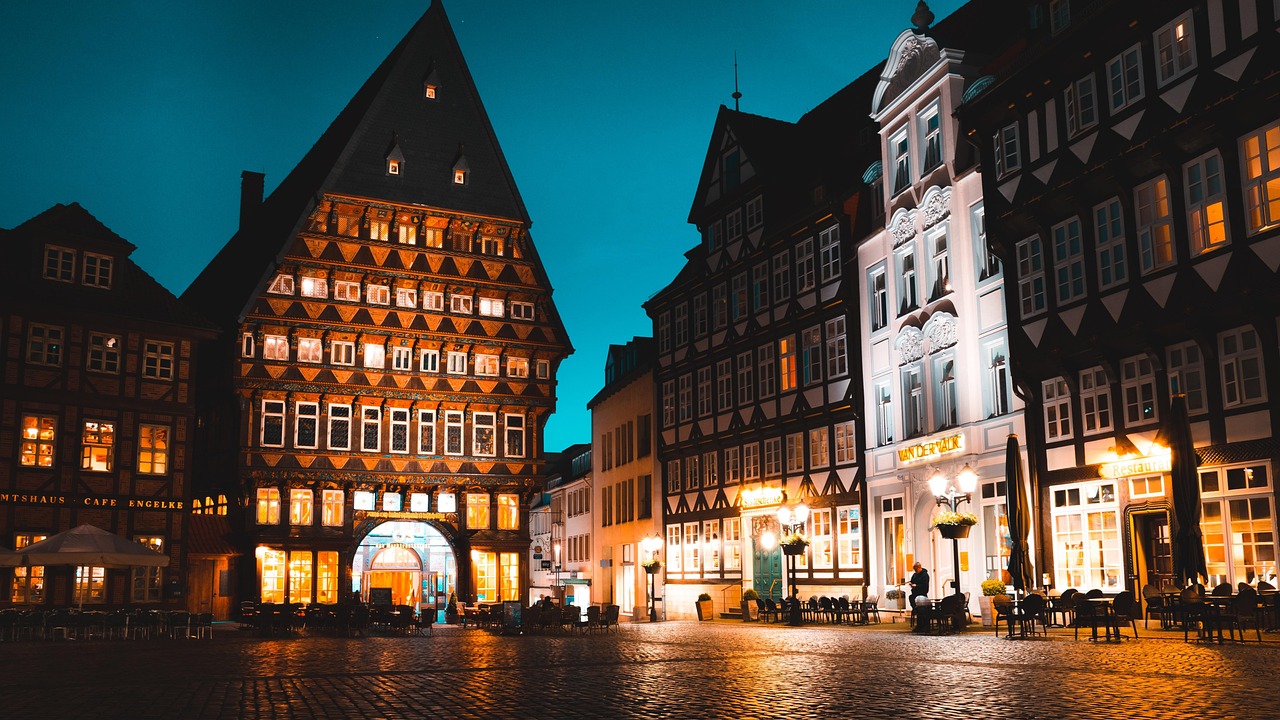
- Night. Towns look lovely at night thanks to street lighting. Turn off infrared so you keep color and avoid lighting up nearby walls.
- PTZ tours. A PTZ camera can show three or four landmarks on a loop. Keep each preset wide and keep the tour slow so viewers can enjoy each view.
The hotel, resort or venue webcam
For a hotel, a live view is a sales tool. Guests watch it before they book, during the trip and after they get home. It also helps your listing on maps and search.
- Show the promise, not the guests. The sea from the terrace, the slopes from the lift, the pool from high above. Keep the camera away from pool loungers, bars and entrances where guests are close up.
- Brand it lightly. A small logo or name overlay is fine. Do not cover the view.
- Use the guest network wisely. Put the camera on its own network segment (VLAN), never on the guest Wi-Fi, and reserve upload for it. See camera security.
- Tell guests. A short sign and a line in your privacy notice are good practice and, in many countries, a legal duty. See GDPR and webcams.
Beach, town and hotel compared
| Setting | Mount height | Lens | Typical 1080p bitrate | Main challenge |
|---|---|---|---|---|
| Beach | 6 m or higher, set back from the sand | Wide fixed or varifocal, about 60 to 100° | 5 to 8 Mbps (waves) | Salt, glare, swimwear privacy |
| Town square | Rooftop or tower, 10 m or higher | Varifocal, or PTZ for several landmarks | 3 to 5 Mbps | Windows, people at street level |
| Skyline or harbor | Highest point you can reach | Narrow or zoom, 30 to 60° | 3 to 6 Mbps | Distance, haze, sun in frame |
| Hotel view | Roof or upper floor | Wide fixed | 3 to 6 Mbps | Guests close up, shared network |
| Ski slope | Lift station or pole | Varifocal or PTZ | 4 to 6 Mbps (snow) | Cold, ice, wind |
Bitrates are planning ranges for H.264 at 30 frames per second, set between the low and high ends of YouTube’s 1080p guidance (5 to 14 Mbps) and below them for calm scenes. H.265 needs less.
The hardware checklist
- Weather: IP66 or IP67, operating range that covers your coldest night and hottest afternoon.
- Impact: IK10 if the camera is within reach of people.
- Image: 1080p minimum, 4K if your upload allows; a good low-light sensor; wide dynamic range for bright skies.
- Streaming: RTSP, H.264 and H.265; ONVIF is a plus. Direct RTMP output or an app that pushes to YouTube saves an extra box.
- Privacy tools: privacy masks, audio that can be switched off, overlays for time and place.
- Power: PoE class within your switch’s budget; check the maker’s maximum watts, not just the average.
- Mounting: the maker’s own wall or pole mount and a junction box for the cable connection. See mounting on walls and mounting on poles.
Cameras that suit public webcams
These are examples across budgets. Specs are the makers’ own; prices, where shown, are from the maker’s store, checked 2026-10-07.
AXIS M1135-E Mk II Box Camera
- 1080p at 30 fps, Lightfinder low-light
- IP66, IK10, NEMA 4X casing
- PoE Class 3, 4.4 W average
Reolink RLC-811A
- 4K 8MP at 25 fps, 5x optical zoom
- RTSP and RTMP listed by the maker
- PoE 802.3af, IP67; $97.99 at Reolink, checked 2026-10-07
Reolink TrackMix PoE
- 4K 8MP dual lens, 6x hybrid zoom
- Pan and tilt
- PoE 802.3af, IP65 (shelter it); $139.99 at Reolink, checked 2026-10-07
For a camera that will face the sea for years, the professional casing and corrosion rating are worth paying for. For a sheltered hotel balcony, a budget 4K camera can do a fine job.
Getting the stream out
A camera on its own gives you an RTSP stream on your local network. To share it with the public you have three common routes:
- YouTube 24/7: free hosting and huge reach. You need an encoder (a small computer, a camera app or a cloud restream service) that pushes RTMP. See cameras for YouTube 24/7 and stream an IP camera to YouTube.
- Your own website: through a restream or video platform that gives you an embeddable player. See embed a live camera.
- Weather and webcam networks: snapshot networks such as Windy accept still images every few minutes. See add your webcam to Windy.
Keeping it beautiful
A webcam that looks great in month one can look sad by month six. Plan for spider webs (a bird-control spike or regular brushing helps), salt film, condensation and drift in the time overlay. Check the image every week, and set an uptime alert so you know when it drops. Viewers on LiveLocation see a clear status for every camera, so a reliable stream earns more views.
Do these next
- Choose the mounting spot with the field-of-view table.
- Check the rules for streaming a public place where you are.
- Submit your webcam so travelers can find it on the map.
Questions people ask
What resolution should a public webcam be?
1080p is the practical minimum and looks good on phones. 4K adds detail to wide scenes, but only if you have the upload speed to send it at a healthy bitrate.
How high should a beach or town webcam be mounted?
As high as you can safely reach: 6 m or more for a beach, a rooftop or tower for a town. Height shows more of the view and keeps people too small to recognize.
Should I use a PTZ camera for a hotel webcam?
Only if you have several views worth showing. A fixed wide camera is cheaper, has no moving parts and is usually the best choice for one signature view.
How do I keep people unrecognizable on a public webcam?
Keep pixel density on people below about 125 pixels per meter: mount higher, aim wider, avoid close foreground, use privacy masks on windows and keep audio off.
What IP rating does a beach webcam need?
IP66 or IP67 at least, plus corrosion-resistant hardware such as a NEMA 4X rated casing and stainless steel mounts for salt air.
Sources
- IEC 62676-4 Video surveillance systems, application guidelines (checked 2026-10-07)
- YouTube Help: Choose live encoder settings, bitrates and resolutions (checked 2026-10-07)
- EDPB Guidelines 3/2019 on processing of personal data through video devices (checked 2026-10-07)
- IEC 60529 Degrees of protection provided by enclosures (IP Code) (checked 2026-10-07)
- AXIS M1135-E Mk II Box Camera specifications (checked 2026-10-07)
- Reolink RLC-811A specifications (checked 2026-10-07)
- Reolink TrackMix PoE specifications (checked 2026-10-07)
Last reviewed October 7, 2026 by the LiveLocation team. General information, not legal or electrical advice.